

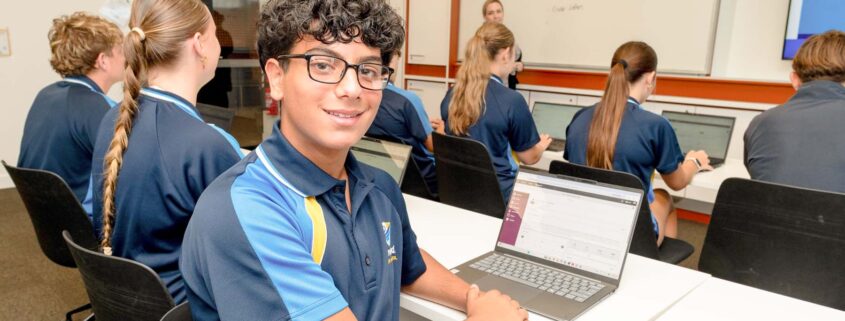
With the introduction of our fully integrated BYOD program at Lynwood Senior High School, “2025: Tech Ready”, all students are encouraged to bring their own device for learning daily.
We are aware of the cost of some devices and the impact that this can have on families. Therefore, we support the use of a wide range of devices, making us a multi-platform school. You can access our school BYOD Policy here: BYOD Policy 2024 v2
Device Capability
Parents have the freedom to provide a device running any operating system. The device must however, at a minimum, be capable of doing the following:
• Connecting to enterprise wireless (devices older than 4 years may not be able to do this).
• Have the capacity to install Office 365 applications (Office 365 is free for all students).
• Access CONNECT to complete classwork.
Minimum Specifications
We recommend the following minimum specifications:
• 12th Gen Intel Core i3 or higher
• 8GB RAM or higher
• 128BG or higher
• Touch Screen recommended to be larger than 13”
Please be aware that some Android devices and Chrome books have had issues connecting to the school wireless system. For other Frequently Asked Questions, please refer to our parent BYOD FAQs here:
PURCHASING PORTAL
We have worked with SolutionsIT to create a purchasing portal for parents. This portal offers compatible devices and a discounted cost. Whilst we have this portal, it is important that parents know that using it is not mandatory and we can only ask that BYOD devices meet a minimum specification. To access the portal please use the following link:
If these options don’t suit your situation, please consider the following alternatives:
The Smith Family’s Learning for Life program provides financial support to help families meet the cost of school essentials including internet access and devices. For more information visit:
https://www.thesmithfamily.com.au/programs/technology/digital-access
WorkVentures provides affordable, quality refurbished computers to eligible community members. For more information visit: https://shop.workventures.com.au/benefit-card-holder/
DijiRed’s Laptops for Students initiative recycles digital devices and provides them to students at a reduced fee. For more information visit: https://dijired.org.au/
For links to major suppliers who offer affordable, refurbished devices in WA, please visit:
https://accan.org.au/consumer-information/talking-telco-tip-sheets/your-money-saving-guide/2111-affordable-laptops-wa#Results
SINGLE DAY LOANS PROCESS
For students who are unable to BYOD short-term, the library offers device loans for a single school day through a first come, first served before school service as follows:
1. Student arrives at school without a device (e.g. forgot, not yet purchased, device in for repair).
2. Student reports to the library between 8:15-8:40am with their smartrider and requests a loan device for the school day.
3. Student signs a Single Day Loan Agreement and leaves their smartrider as a placeholder.
4. Library officer loans a device, with a bag, to the student for the day. A ticket to exit Period 5 five minutes early
to return the device is also issued to the student.
5. Student returns the device at the end of Period 5, prior to leaving site.
Devices are limited and only available for loan prior to Period 1. Students who do not return their loan device as agreed may be invoiced for the cost of purchase.
APPLICATION FOR BYOD ASSISTANCE
Lynwood has a small number of long-term loan devices quarantined for students who cannot, due to financial hardship, bring their own device. Student eligibility for a long-term loan device is assessed on a case-by-case basis by the Executive Team. Applicants must be current recipients of the Secondary Assistance Scheme and may already be accessing a payment plan for school fees. Parents / carers can request support via our Application for BYOD Assistance form here: https://forms.office.com/r/WCK3iB1Z9g
All long-term loans are reviewed annually and subject to acceptance and agreement to the Terms and Conditions set out in the Application for BYOD Assistance (and below).
Terms and Conditions
Responsibility for Devices:
• I acknowledge that my child is responsible for the care, maintenance, and safety of the loaned device for the duration of the loan period (one school day).
• I understand that any damage, loss, or theft of the loaned device must be reported immediately to the library staff.
Acceptable Use:
• I understand that the loaned device is to be used solely for school-related purposes.
• I acknowledge that my child’s network use is monitored and that inappropriate use of the device may result in restricted access to this service.
Equity and Accessibility:
• I recognize that the loaned device is provided by the school to ensure that all students have access to the necessary technology for learning.
• I acknowledge that the loaned device must be returned to the library at the end of the school day. Failure to return the device may result in an invoice for the cost of the device. The device is not permitted to be taken home.
